Find out if your file is print-ready — before you pay for the print run
Unsuitable artwork means a ruined print run: pixelated print, white edges, shifted colours. Send us your file — prepress specialists who prepare artwork for print every day will review it for free and tell you within 1 working day what's fine and what's worth fixing. Be sure before you print.
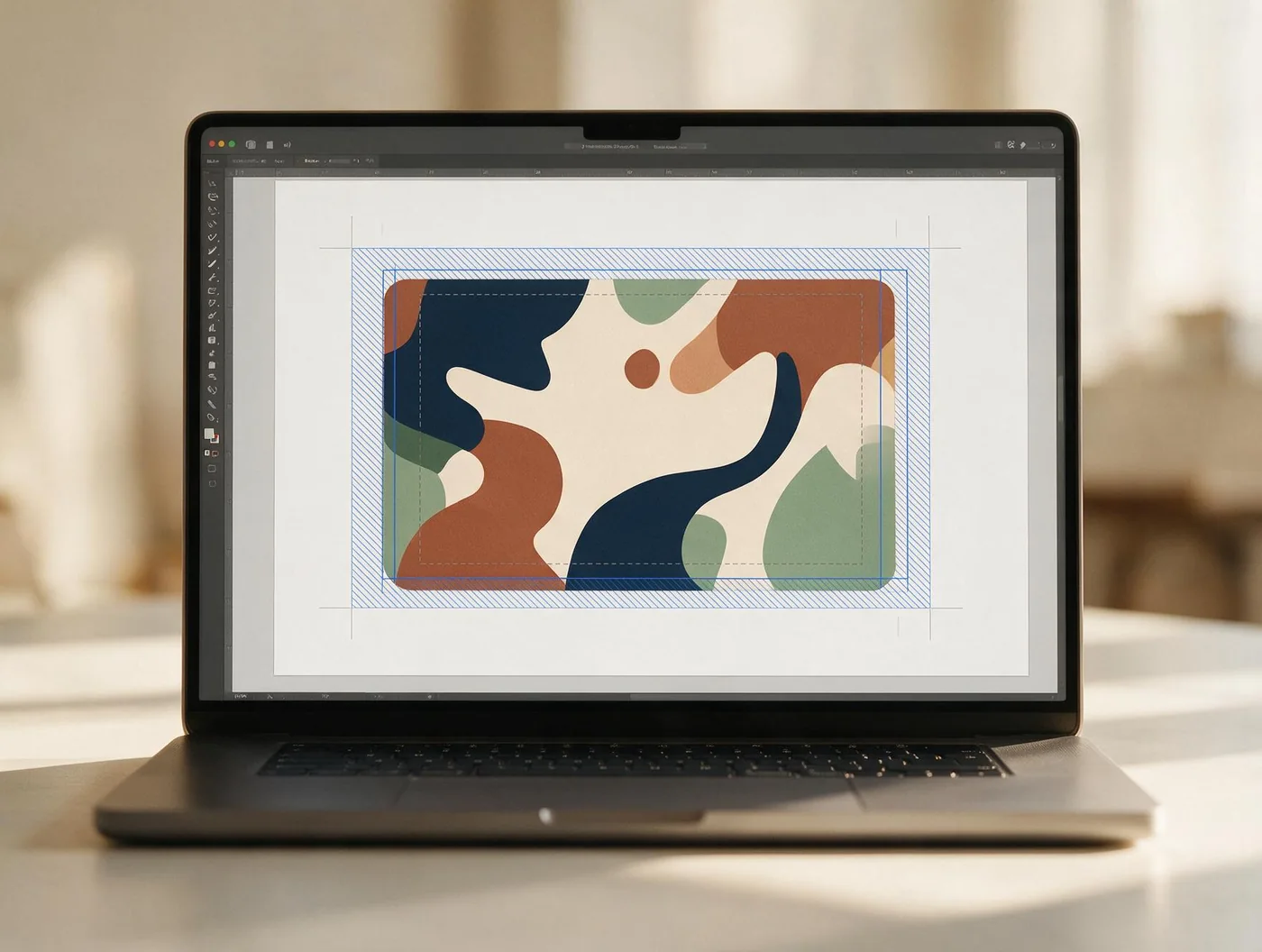
Why your artwork needs 2 mm past the edge
Labels are cut out by a blade, and a blade always has a small tolerance. That's why print-ready artwork has three boundaries — and every check starts with them.
- Bleed · 2 mmBackgrounds and photos must run 2 mm past the cut line. The blade never lands perfectly, so without bleed a white strip is left along the edge.
- Cut lineThe label's real edge — the shape is cut along it. In the artwork it must sit on a separate layer, not be drawn onto the design.
- Safe zone · 3 mmKeep text, logos and other important elements at least 3 mm from the edge so the cutting tolerance can't touch them.
The six most common artwork mistakes
Almost every file we receive has at least one of these problems — we check for all of them so your print run doesn't go to waste.
Resolution
Whether photos and graphics are at least 300 dpi. A 72 dpi image looks fine on screen but prints pixelated and blurry — especially small text and logos. We check every element of the artwork.
Bleed (2 mm)
Whether the background runs at least 2 mm past the trim line. The cutting blade never lands exactly on the line — without bleed, thin white slivers show along the edges of every label.
Colour profile (CMYK)
Whether the colours are set up in CMYK. RGB colours glow on screen but print darker and shifted — bright blue turns purple, rich green turns muddy. We warn you if the result will differ from what you see on screen.
Text converted to outlines
Whether fonts have been converted to outlines. If the file contains a font we don't have, the software swaps it for another — and the text shifts without anyone noticing until it's printed. Outlines remove that risk entirely.
Cut line
Whether the artwork has a separate die-cut line on its own layer. The blade cuts the shape along it — without one we'd be guessing, and an inaccurate line cuts off important parts of the design. We also check how far the shape sits from the edge.
File format
Whether the file is a PDF, AI, EPS or SVG. Vector formats print most accurately at any size; JPG or PNG only suit photos of high enough resolution. If the format isn't suitable, we'll tell you how to prepare it.
Your artwork is checked by the same people who print it
The file check isn't an automated script — it's the Reblank production team in Kaunas, preparing artwork for print every day for more than 100 regular customers. We know where artwork most often goes wrong, because we see every print run ourselves, from the file to the cut roll.